Librarian
Turn the documents you already have into a Zendesk Guide worth reading.
What it is
Almost every support team is sitting on the knowledge base it wants. It is just in the wrong shape — a shared drive of handbooks, a wiki nobody prunes, an old help center with ten years of sediment in it.
Librarian reads that material and proposes what a Zendesk Guide built from it should look like: the categories, the sections, the articles, and the reason each one landed where it did. You keep the judgment calls; it does the reading and the first draft of the structure.
There are two gates on the way out, deliberately. You approve the structure before anyone writes, and the content before anything publishes — and the person signing off never needs a Zendesk seat to do it.
Key capabilities
PDFs and Word documents go in exactly as they are — no reformatting, no copy-paste. Even old scanned pages get read, so the handbook nobody can search is still usable material.
Categories, sections, and articles arrive as one coherent hierarchy rather than a pile of drafts, each node carrying the reasoning for why it sits where it does.
Librarian imports your live Guide structure first, so proposals land inside the shelves your customers already know instead of building a parallel knowledge base beside them.
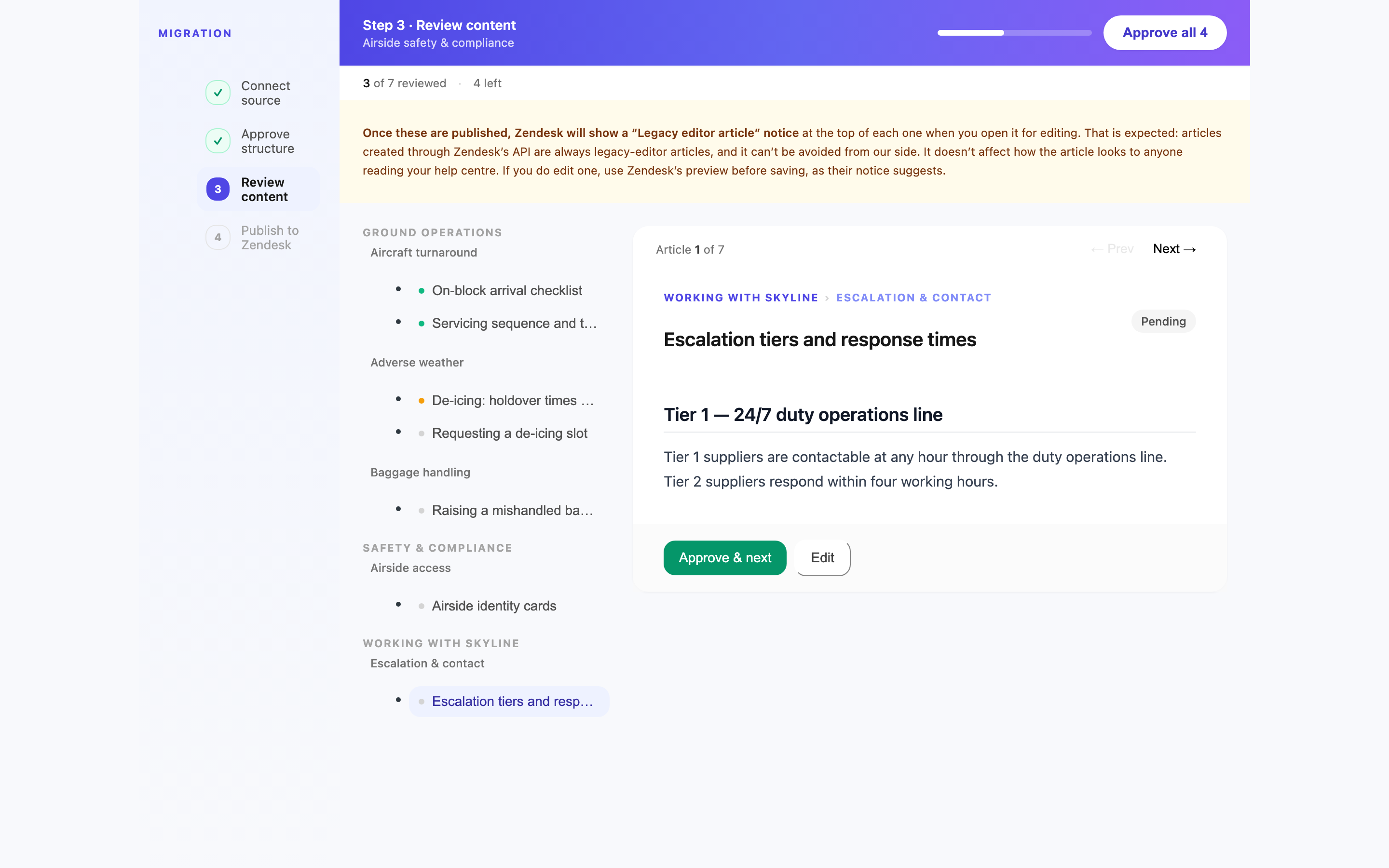
Retitle, reparent, reorder, rewrite. The structure review and the content review are separate gates, so you settle the shape of the thing before arguing about wording.
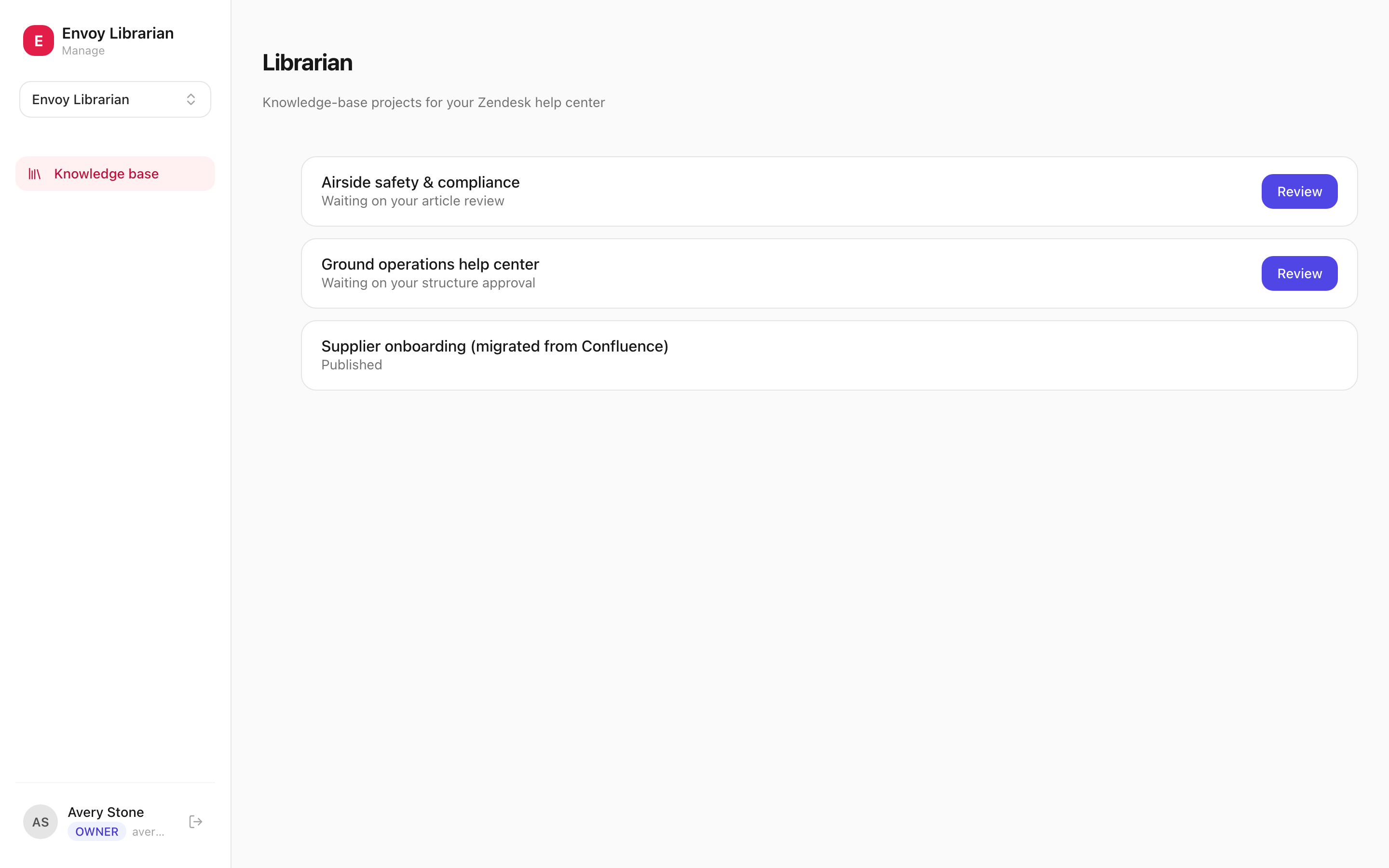
The person who has to bless the knowledge base is rarely a Zendesk admin. They get a private review link, see exactly what is proposed, and sign off from there — no seat, no training.
Your locale, your permission groups, and who each article is visible to. Diagrams and screenshots from the source documents come across with the text, and everything can land as drafts first.
How it works
- 1Connect the target Guide. Point Librarian at the Zendesk Guide you are building into and it imports the live structure, so everything proposed afterwards is positioned against what really exists.
- 2Add your sources. Upload the handbooks, policies, and procedure documents you already have — or, in migrate mode, point it at the knowledge base you are moving off.
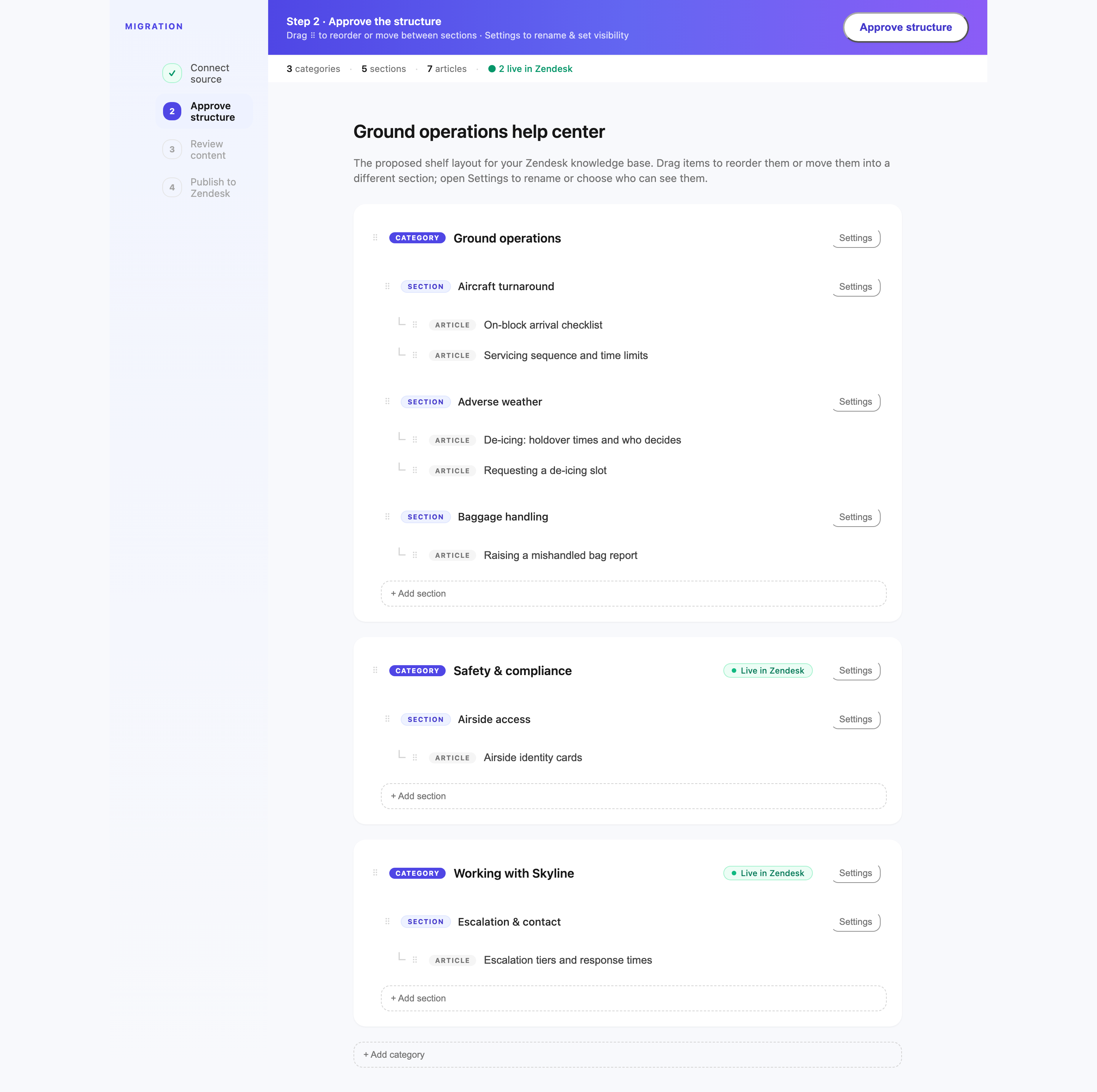
- 3Approve the structure. Librarian proposes the full category → section → article tree with its reasoning. You rearrange and edit it, then your approver signs the shape off.
- 4Review the content. Article drafts come next, in a rich-text editor, checked against their source. This is the second gate — nothing reaches Zendesk until it clears.
- 5Publish to Zendesk Guide. Categories, sections, and articles are created top-down with your locale, permission groups, and segments applied, and inline images uploaded along the way.
What you get
- Reads the PDFs and Word documents you already have, or lifts the structure of a knowledge base you already run.
- Proposes the entire category → section → article tree at once, slotted into the shelves your Guide already uses.
- Two review gates — structure, then content — and the person signing off never needs a Zendesk seat.
- Publishes into Guide with your locale, permissions, and visibility rules, and can land everything as drafts first.
What Librarian actually looks like
The rest of the platform
Librarian is one of 4 apps on EnvoyEngage. They share a workspace, a Zendesk connection, and the same isolation guarantees — take one or take all 4.