Zendesk RCS Bridge
Answer verified RCS messages in Zendesk, from a sender that carries your brand.
What it is
Your customers stopped reading SMS from numbers they do not recognize, and they were right to. RCS is what replaced it on modern handsets: a sender with your name and logo on it, a verified badge, rich cards instead of 160 characters, and a conversation that behaves like the other messaging apps on the phone.
The Bridge is the part that makes it usable by a support team. Messages from handsets arrive in the Zendesk agent workspace as conversations, and the replies your agents write go back to the handset — so RCS becomes another channel your existing team answers, rather than a project someone has to own.
It runs in your own AWS account. The verified sender belongs to you, the message traffic belongs to you, and Envoy operates the bridge between it and your Zendesk under a role you can revoke.
Key capabilities
Your name, your logo, your color, and a verified badge — approved by Google and the carriers. The alternative is an unknown number, which is what your customers have been trained to ignore.
An inbound message opens a conversation in the Zendesk agent workspace. No second inbox, no separate tool, no one watching a console nobody owns.
The reply an agent types goes back to the handset. That sounds obvious and is the hard part: the return path has to remember which conversation belongs to which handset, because the messaging platform does not tell us.
The sender, the agent, and the message traffic live in your own AWS account. Envoy carries messages between it and Zendesk under a role you grant and can revoke.
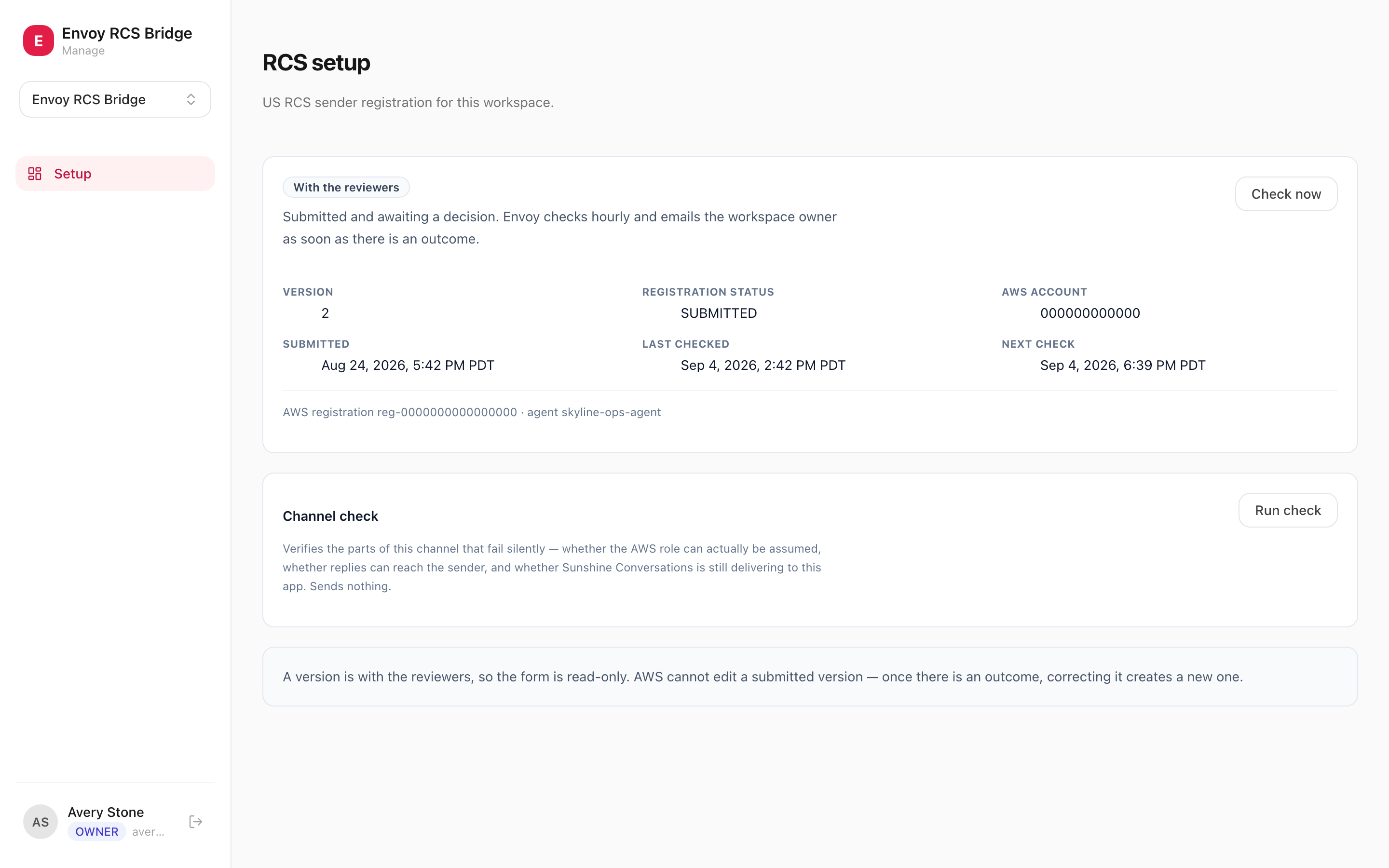
Getting approved takes weeks and the decision is not ours to make. The console shows what is still missing, which version is with the reviewers, and when we last checked.
Preflight reports pass, fail, or not verified — never a screen of green ticks over a question it skipped. Every failure this channel has had was preceded by something that looked fine.
How it works
- 1Get the assets together. A square 224×224 logo, a 1440×448 banner, a published privacy policy and terms page, and at least one labelled contact method. Registration cannot be submitted without them, so this is the first job rather than the last.
- 2Connect your AWS account. You deploy a small trust stack; Envoy assumes a role in your account with an external ID you control. Nothing about the channel lives in an Envoy-owned account.
- 3Submit the registration. Envoy fills and submits the sender registration on your behalf. Once it is with the reviewers it cannot be edited, so the console locks the form rather than letting a local draft drift from what they are reading.
- 4Wait, visibly. Approval is a decision by Google and the carriers, and it takes weeks. Rather than going quiet, the console reports the stage it is at and when Envoy last checked.
- 5Go live and answer. Once approved, messages from handsets arrive as Zendesk conversations and agent replies go back out. Preflight runs against the live channel to confirm each link before you point customers at it.
What you get
- Two-way by default — a message from a handset opens a Zendesk conversation, and the agent's reply goes back to the handset.
- Your verified sender: brand name, logo, and colour on the handset, approved by Google and the carriers.
- Runs in your own AWS account, so the message traffic belongs to you rather than sitting in a vendor's system.
- The console tracks the registration — what is still missing, where the approval stands, and when it was last checked.
The rest of the platform
Zendesk RCS Bridge is one of 4 apps on EnvoyEngage. They share a workspace, a Zendesk connection, and the same isolation guarantees — take one or take all 4.