VendorApp
Branded support portals for your customers' vendors and partners, run from inside Zendesk.
What it is
Your support does not stop at your direct customer. Their vendors raise issues with you, their partners chase you for updates, and the people those partners serve end up in your queue as well. Most teams absorb that in one shared inbox and spend the day working out who is asking.
VendorApp gives each of those parties its own branded portal, running on the Zendesk you already operate. Tickets, organizations, and users stay in Zendesk, so nothing becomes a second system of record and there is nothing to reconcile later.
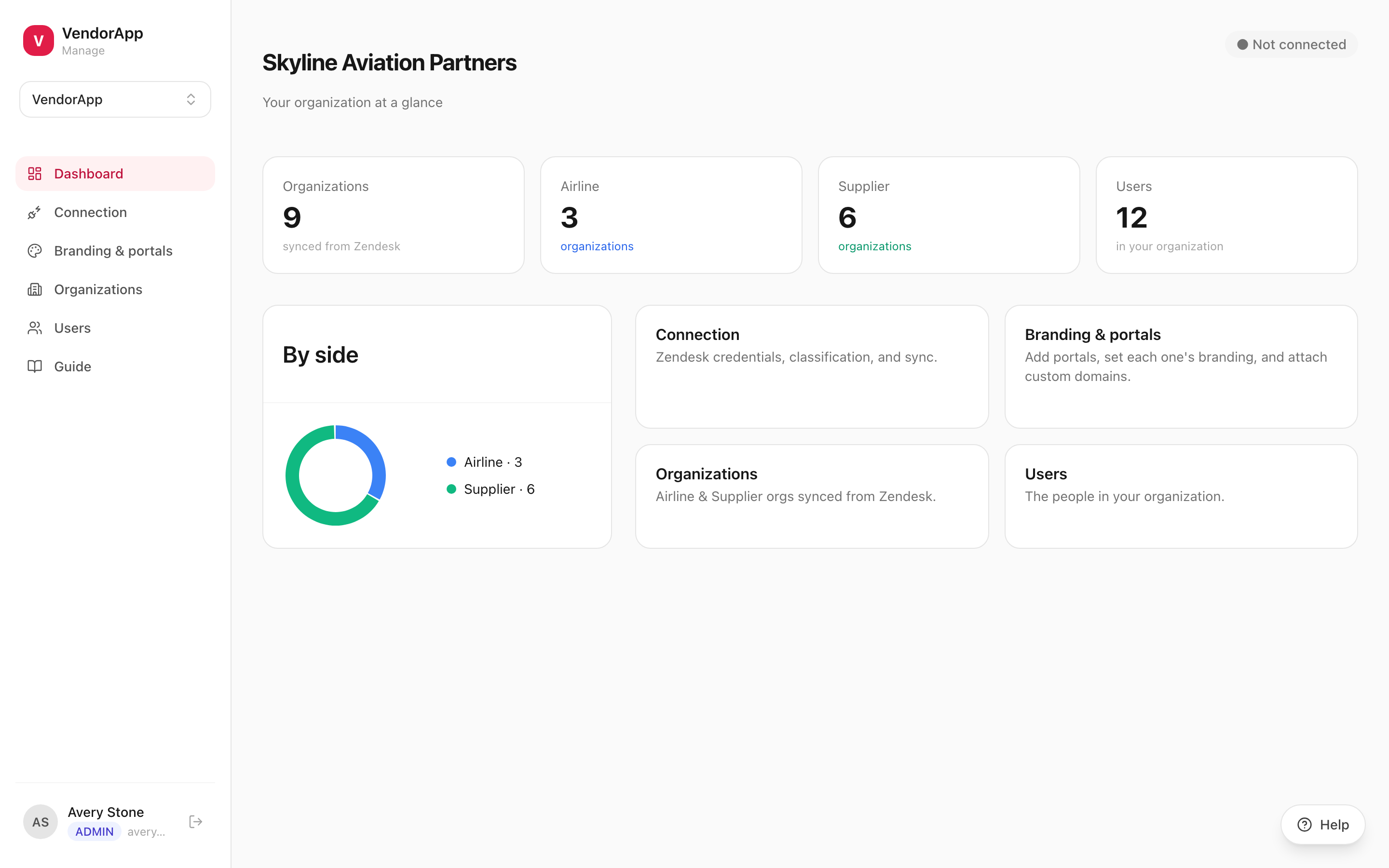
The admin for it lives inside Zendesk Support, as a full-page nav bar app. Portals, organizations, users, branding, and the Zendesk connection — your team runs all of it without leaving the agent interface.
Key capabilities
A full-page nav bar app that loads the entire VendorApp console in Zendesk Support. Not a settings panel that sends you somewhere else to do the real work.
Zendesk vouches for whoever opened the app, so there is nothing to sign into. Active admins of the workspace get in; everyone else is told what is missing, in a sentence.
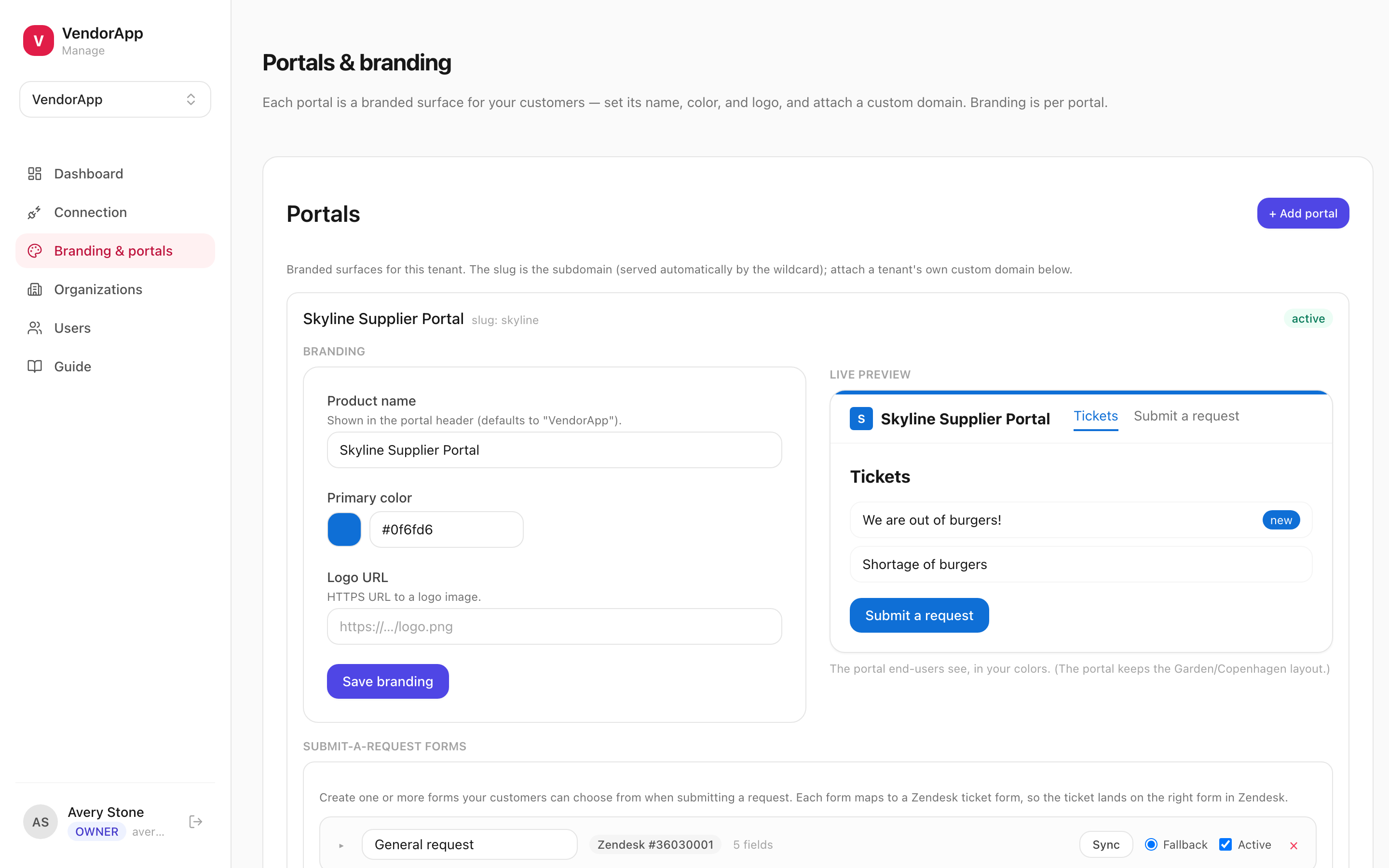
Per-portal name, color, and logo, and a custom domain such as support.theirvendor.com with SSL handled for you. The party using it should not have to learn that it is your Zendesk.
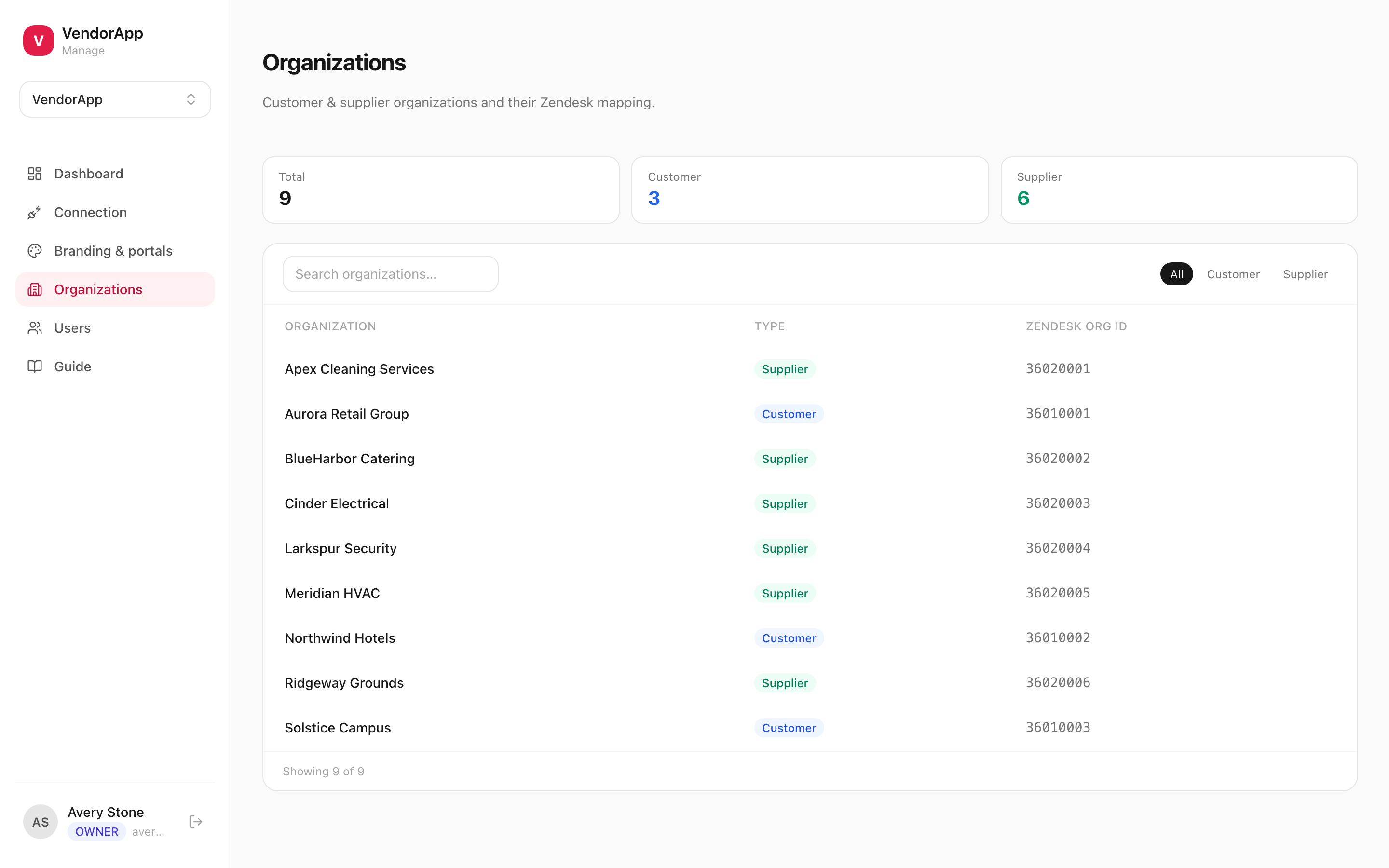
Each organization is a customer-side or supplier-side party, and every ticket belongs to exactly the two on it. A vendor cannot see what another vendor filed, because the ticket was never theirs.
Row-level security scopes every query to the right workspace and organization. What a portal renders and what it is permitted to read are the same rule, so a bug in the interface is not a disclosure.
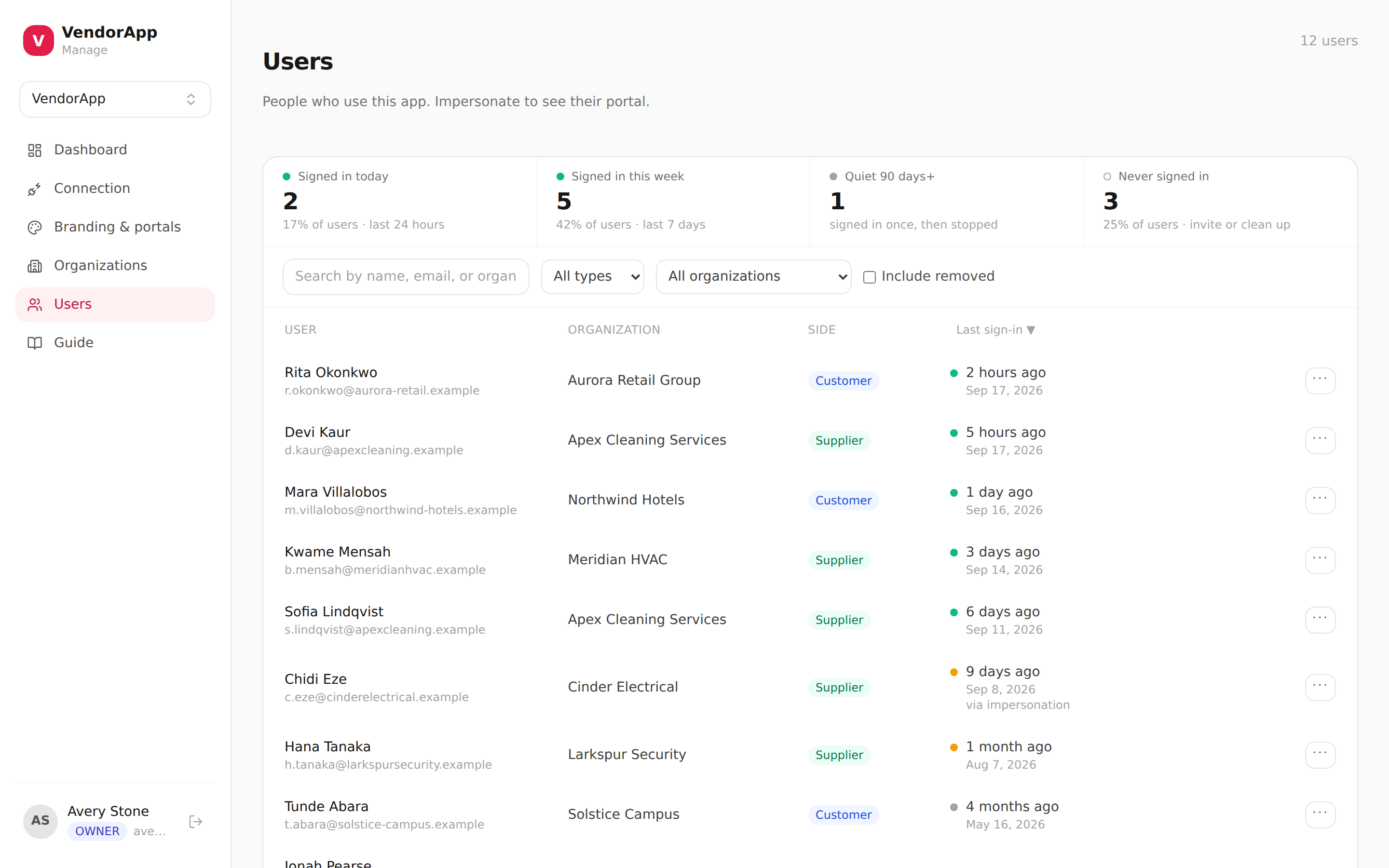
Tickets, organizations, and users are synced from the Zendesk account you already run. Your agents answer where they answer everything else, and your reporting still covers all of it.
How it works
- 1Install the app. Add VendorApp Admin from the Zendesk Marketplace. There is nothing to fill in on the way through — it installs once per account and puts an icon in the left nav bar.
- 2Connect your Zendesk. One authorization, by the workspace owner, tells VendorApp which Zendesk account the workspace belongs to. It is also what every agent is checked against afterwards, so it comes first.
- 3Name the admins. Add each agent under Members with the Admin role, using the address on their Zendesk profile. That list, not a seat in Zendesk, is what decides who can open the console.
- 4Open it from the nav bar. Zendesk says who is opening the app, so the console is simply there — nothing to sign into, nothing to approve. Anyone who is not an admin of the workspace gets a sentence naming what is missing instead of a blank page.
- 5Run it from Zendesk. Portals, organizations, users, branding, and the Zendesk connection itself, all without leaving Support.
The VendorApp guide covers the rest in order: connecting Zendesk, classifying organizations, building portals, and managing the people who use them.
What you get
- A branded portal per party, on its own subdomain or a custom domain, with SSL handled for you.
- Two parties on a ticket and never a third — a vendor cannot see what another vendor filed.
- One console for every portal: branding, organizations, users, and the Zendesk connection.
- Administered from inside Zendesk Support, with no second login for your team to keep.
What VendorApp actually looks like
The rest of the platform
VendorApp is one of 4 apps on EnvoyEngage. They share a workspace, a Zendesk connection, and the same isolation guarantees — take one or take all 4.