Migratron
Migrate your support history onto Zendesk, with sign-off at every step.
What it is
Most migrations go wrong in the same place: everyone agrees on the plan in a document, and then something else runs. Migratron makes the plan the thing that executes — the connections, the analysis, the mappings, and the approved sample are the job.
A migration of any size runs in the background while you watch it: which stage it is on, how many records have landed, and exactly which ones did not. Nothing depends on you keeping a browser tab open.
It is built for the migration you have to defend. Every stage is signed off by a named person, and the record of who approved what only ever gets added to — which matters far more the week after go-live than it does the week before.
Key capabilities
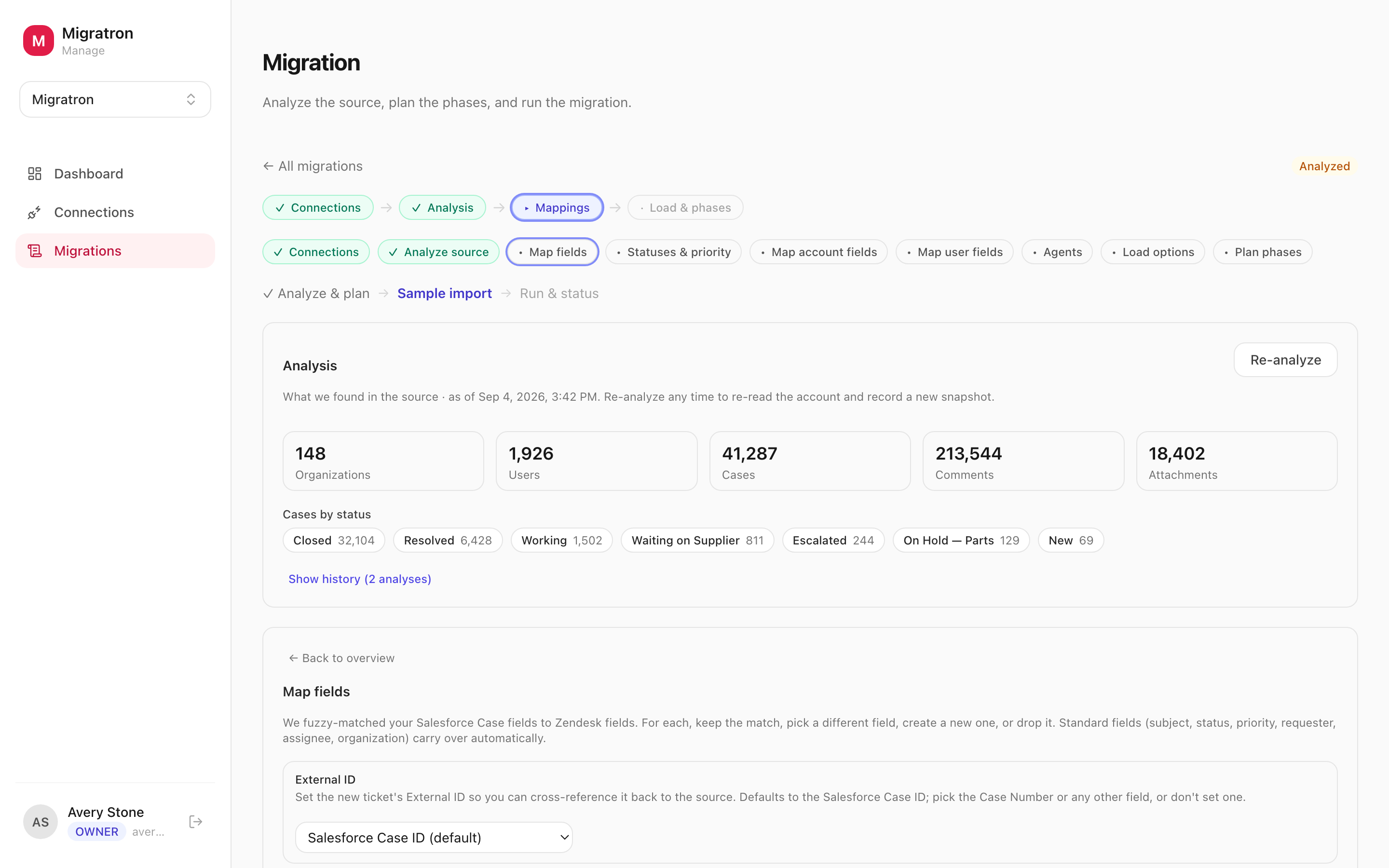
Migratron reads the source first and reports what is actually in there — objects, record counts, the fields that carry data and the ones that never did. Scope arguments end here.
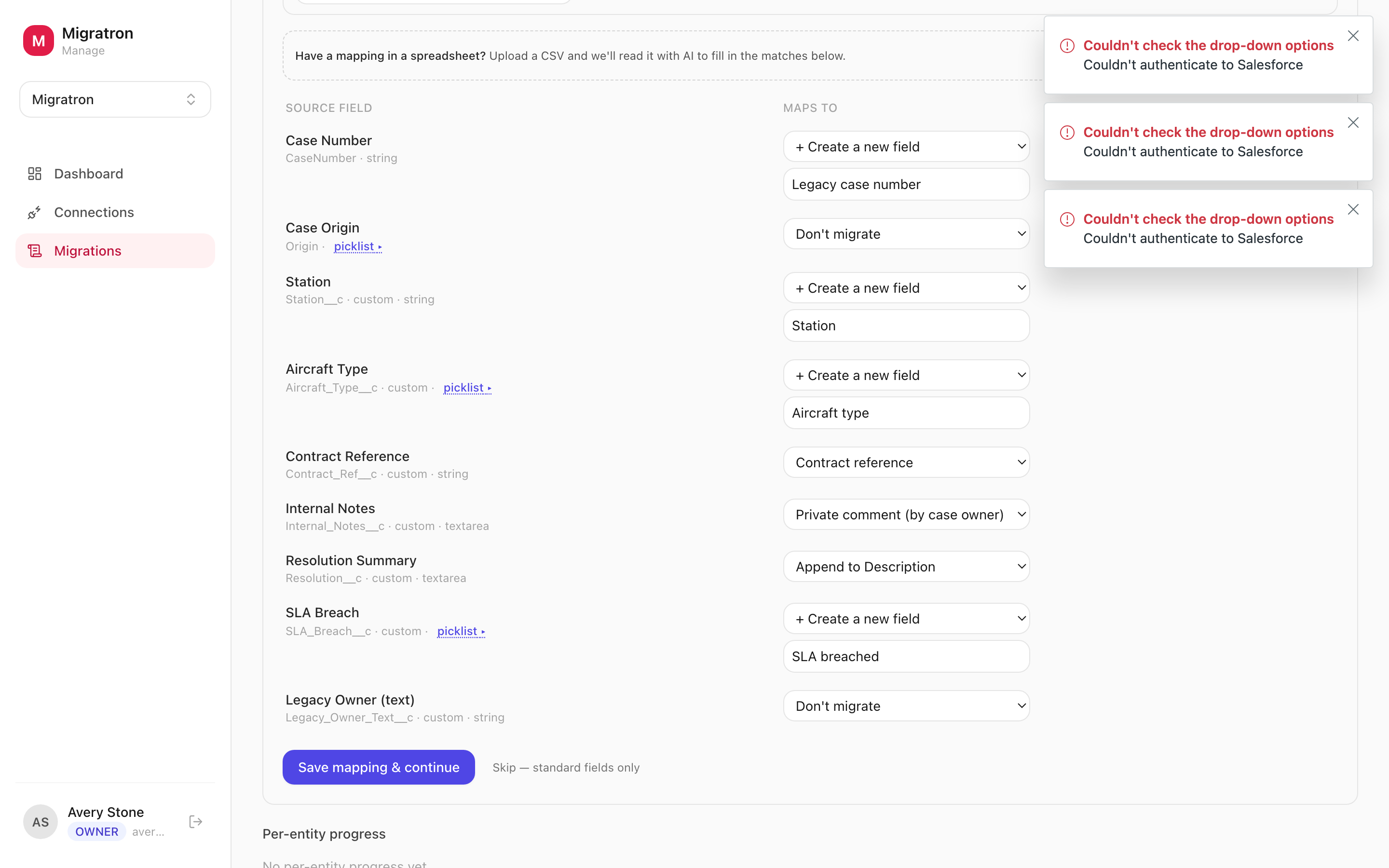
Fields, statuses and priorities, accounts, contacts, and agents each get their own mapping step, with the source values in front of you rather than buried in a spreadsheet.
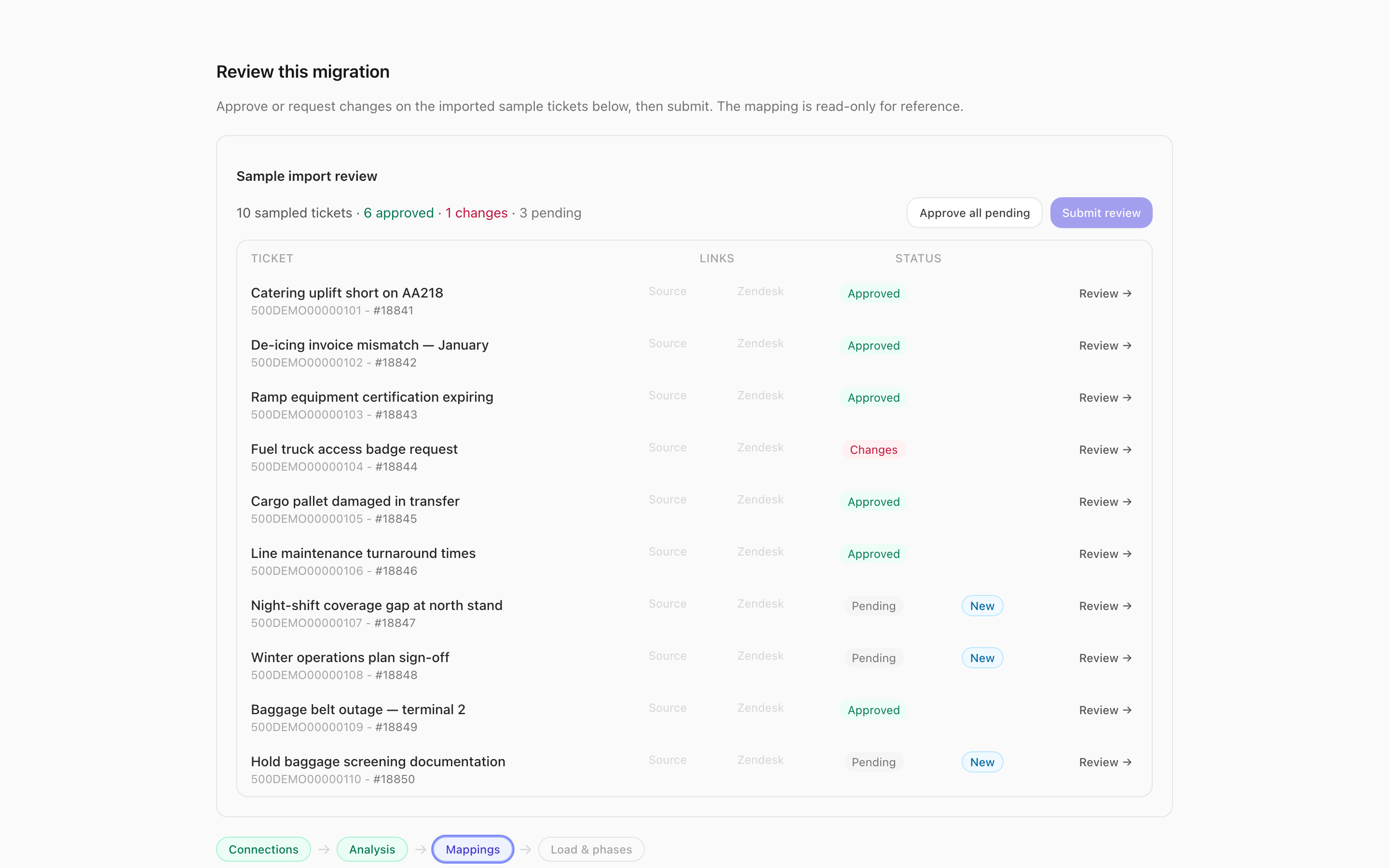
A real sample lands in the destination Zendesk and your customer walks it ticket by ticket — approve, reject, or ask for a change, with a note attached to each decision.
Each stage locks once it is signed off. Reopen it read-only whenever you like, but the thing that was approved is the thing that runs — no quiet edits behind an approval.
Email threads and case comments come across as Zendesk comments in order, with the right author, so an agent opening a migrated ticket sees the actual history.
Closed history moves first and live cases move last, so the risky part of the migration is the smallest part — and your agents never work a day against half a system.
How it works
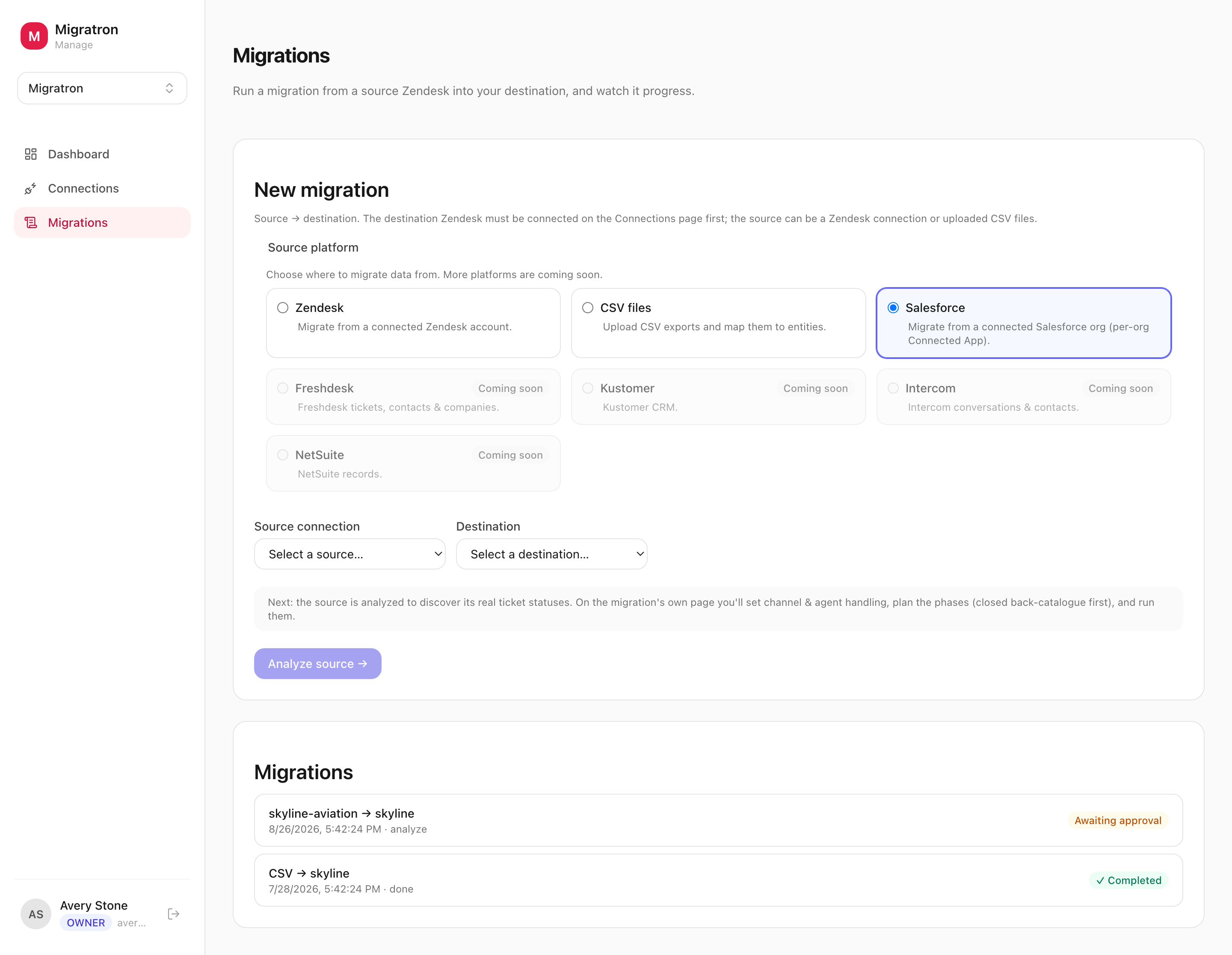
- 1Connect the source and destination. A Salesforce org, an existing Zendesk, or CSV exports on one side; the destination Zendesk on the other. Whoever holds the credentials gets a private link and connects the system themselves — nobody emails a password around.
- 2Analyze what is there. Migratron profiles the source — objects, volumes, field usage, the statuses and priorities in play — and turns it into the report the mapping decisions are made against.
- 3Map fields, accounts, users, and agents. Work through the mapping steps in order. Change something earlier and the steps that depended on it are flagged for another look, rather than quietly going out of date.
- 4Import a sample and get it signed off. Load a sample into the destination and invite a reviewer by email. They see the imported tickets in a read-only view, with no Zendesk seat, and approve or ask for changes ticket by ticket.
- 5Run the load in phases. With the plan approved, the full load runs in the phases you planned. Anything that failed or was left behind stays listed, with the reason, so it can be fixed and re-run.
What you get
- Salesforce, Zendesk, and CSV sources — cases, accounts, contacts, agents, and whole comment threads, not just ticket headers.
- A guided workflow — connect, analyze, map, sample, load — where each stage is signed off before the next one opens.
- A real sample in your Zendesk that your reviewer walks ticket by ticket, with every approval and change request on the record.
- Migrate in phases, closed history first, so live cases move last and nobody loses a day to the cutover.
What Migratron actually looks like
The rest of the platform
Migratron is one of 4 apps on EnvoyEngage. They share a workspace, a Zendesk connection, and the same isolation guarantees — take one or take all 4.