Members
Who may configure the workspace, the three roles, and the changes that are refused.
Where it lives, and why
Members is a workspace page, not a VendorApp one — reach it from the workspace sidebar, beside Connections and Account. Membership sits above apps deliberately: a member administers the workspace, and which apps they can reach is a matter of what the workspace has installed, not of another role.
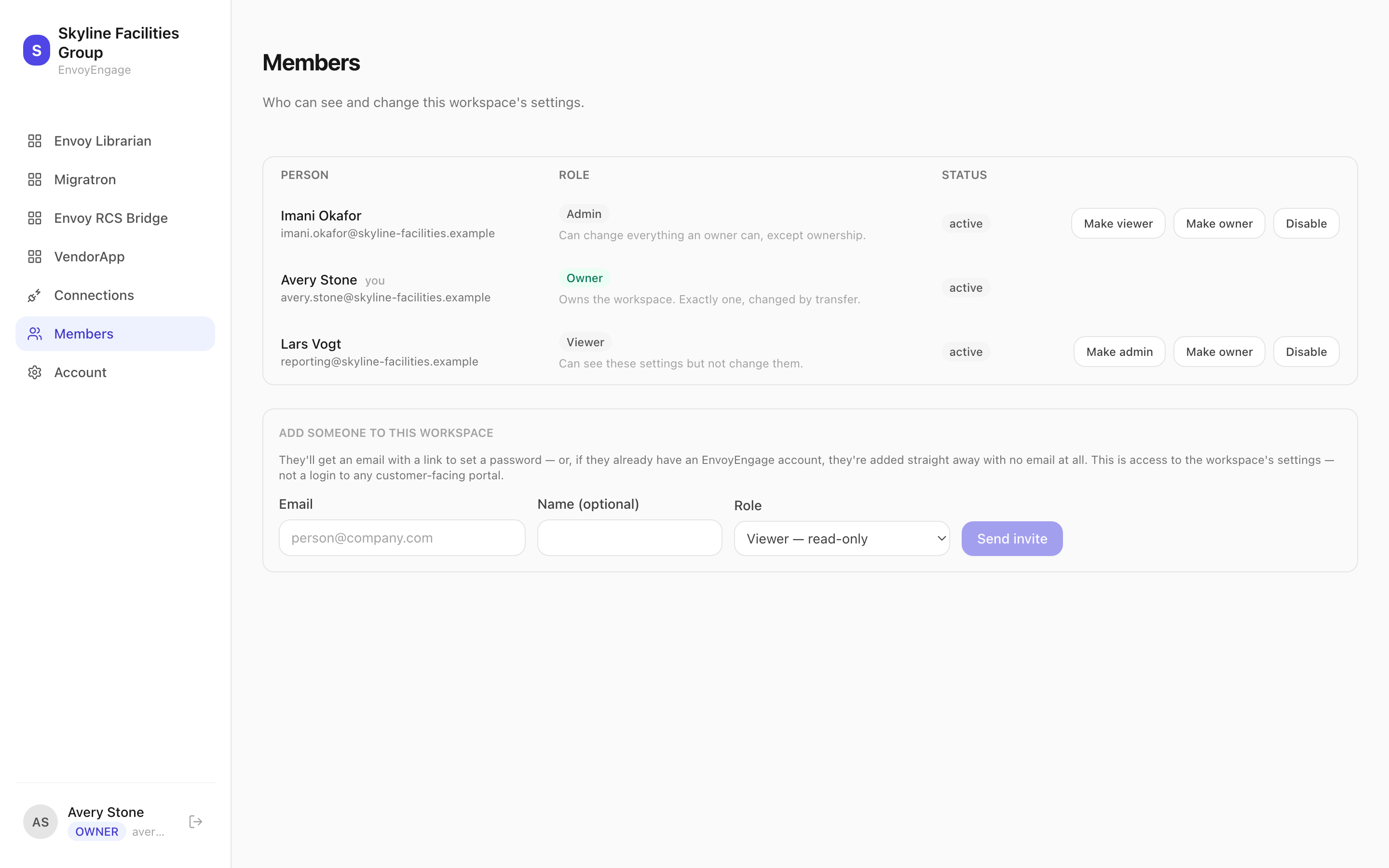
The three roles
- Owner
- Owns the workspace. Exactly one, and changed by transfer rather than by editing a role.
- Admin
- Can change everything an owner can, except ownership.
- Viewer
- Can see these settings but not change them. Reaches every page; the controls are gone and the routes refuse them.
CarefulOwners and Admins can read and change your Zendesk connection and every portal. Keep the list short, and disable people the day their role changes.
TipViewer is a real option, not a consolation prize. Someone who needs to check how a portal is configured, or read the connection state during an incident, does not need the ability to change it.
Changes that are refused
Four changes are refused, each because it would strand the workspace:
- Changing your own role or access — you would lose the page you need to undo it.
- Editing the owner's role.
- Promoting anyone to owner. Ownership moves by transfer.
- Demoting or disabling the last remaining Admin, after which nobody could reach this area at all.
NoteRemoving a member outright is a second step — disable them first. That order is deliberate: disabling is instant and reversible, and is the right response to someone leaving.
TipThis is also what decides who can open the admin from inside Zendesk — see The Zendesk app.